Exporting Your Game
Now that you have added some colorful content to your game, it's time to export it so you can upload it to Itch.io or flash it onto a Game Boy Advance cartridge.
Go to the Build menu and select Export ROM...:
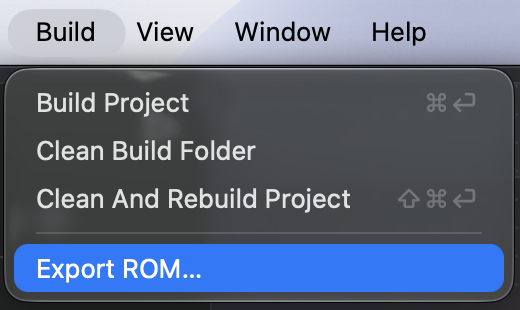
Because Butano (the underlying engine used by GBA Studio) builds an actual ROM file every time you
build your game, the ROM is already available in your project's out directory.
The Export ROM... option is mainly for convenience, allowing you to quickly copy the ROM to a
different location if needed.
You should see a ROM exported to message in the build logs indicating that the ROM has been
successfully copied to the specified location:
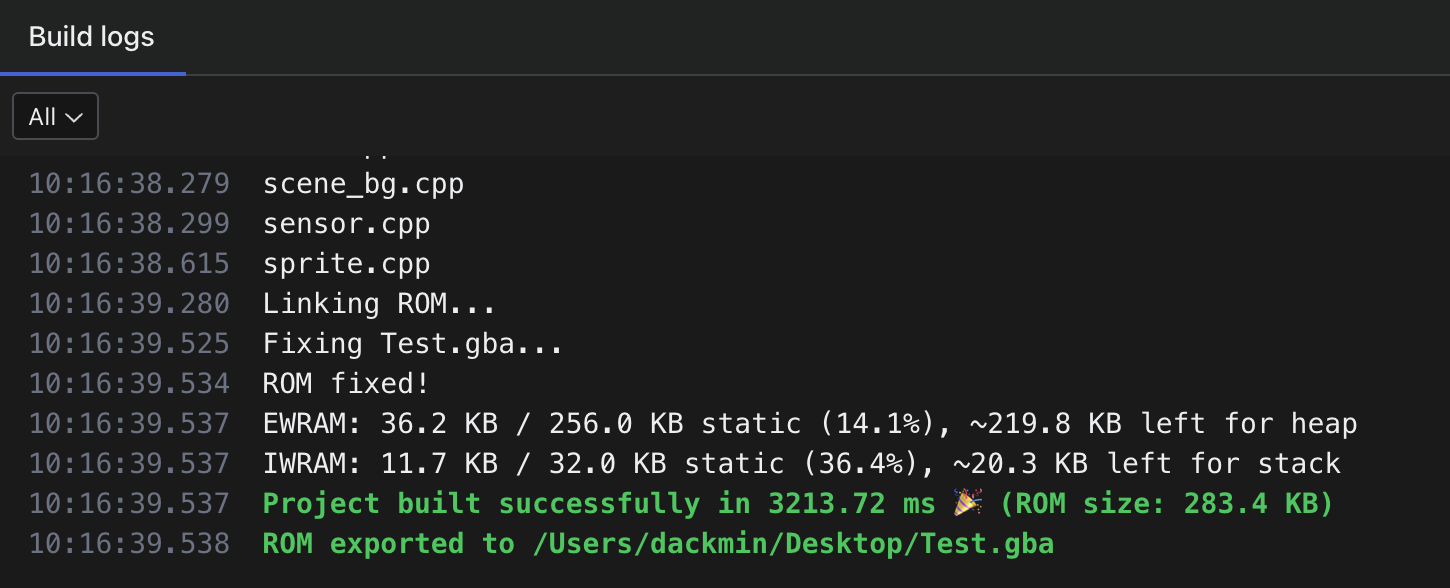
And that's it! Your game is now ready to be played on a real Game Boy Advance or shared online.
Best Practices
As you may have noticed in the previous screenshot, the build logs provide two important pieces of
information before the Project built successfully message:
- The IWRAM usage (Internal Work RAM): used for fast-access data storage by the GBA CPU
- The EWRAM usage (External Work RAM): used for general-purpose data storage
Because of the GBA hardware limitations, it is important to keep an eye on both usages, especially the EWRAM (IWRAM is used by the core of GBA Studio and should only slightly increase if I add new features).
VRAM (Video memory) is not displayed because it is managed separately by Butano and the GBA, and is not easily calculable because you never display all your assets at the same time, while events are put into memory at startup. Keep in mind that even IWRAM & EWRAM usage metrics are approximations.
Each event you create in your game will consume a portion of the RAM, so it's important to monitor the usage to avoid exceeding the hardware limits.
What I've seen so far creating games myself:
- Some events will consume more RAM than others (especially if you use dynamic values).
- Try limiting the number of Actors in your scenes, prefer Sprites if they are not interactive NPCs.
- Parallel events are limited to 10 at a time, but keep in mind that it's a hard limit and having too much will slow down the CPU anyway
- Camera effects are CPU hogs
- Emulators are slower than real hardware (weirdly enough)
- Real hardware is darker (the screen on the actual GBA, even on the SP, is not as bright as modern displays)